Mimulus · Interactive software demonstration
From a digital file to DNA sequences and back
Co-founder & Fractional CTO · 2026
I built a browser demonstration that encodes an uploaded file into DNA sequences, reconstructs it bit for bit, and lets the visitor download the recovered result. Around that working digital engine, I designed an interactive walkthrough of Mimulus’s proposed archival service.
The same uploaded file stays recognizable as it moves from intake to a synthesis order, a card catalog record, and final recovery—while the chemical synthesis, laboratory handling, card storage, and DNA sequencing stages are simulated. Together, the demonstration, archive cost story, and rebuilt website gave prospects and investors concrete ways to evaluate an unfamiliar technology.
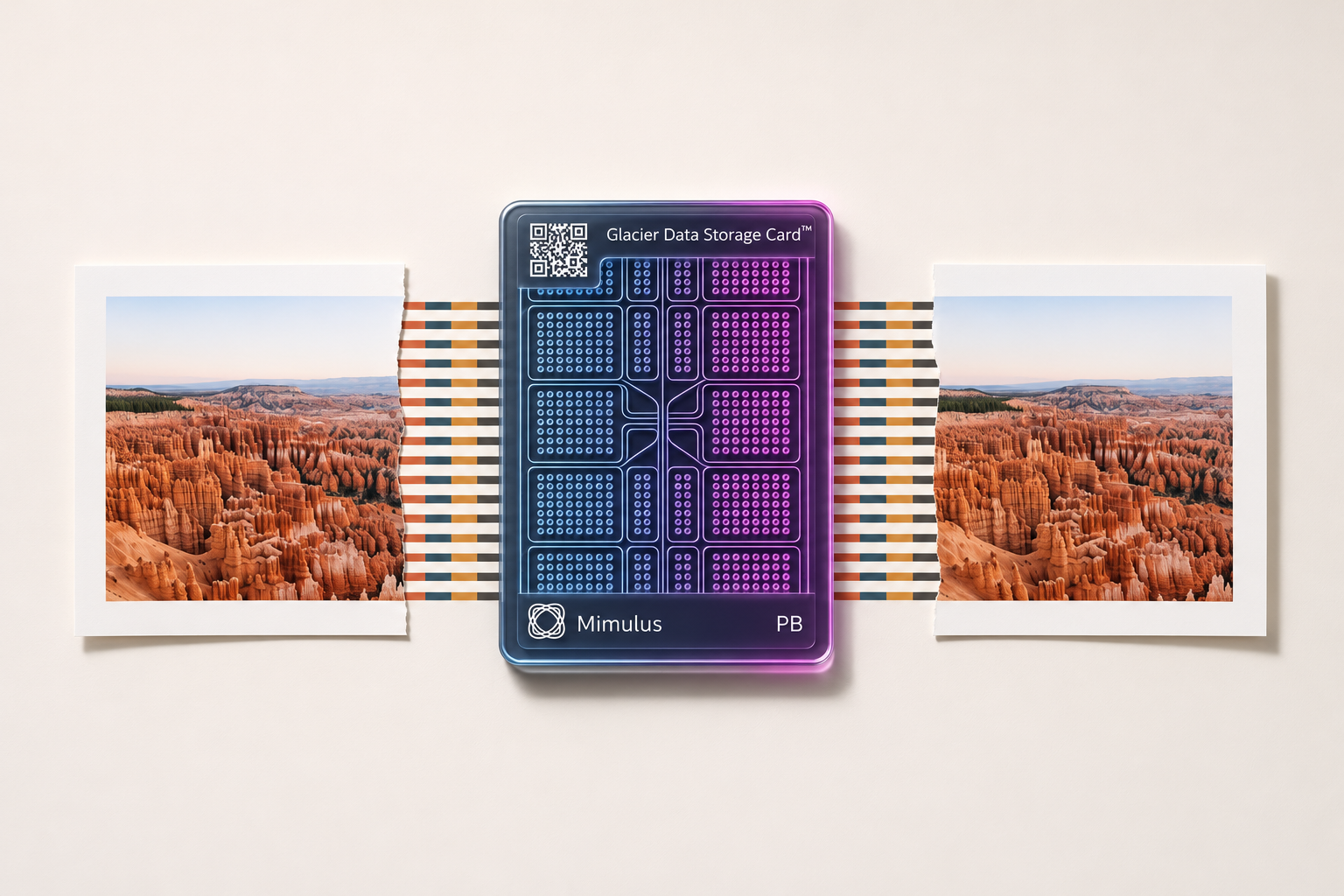 Enlarge imageEnlarge: The Mimulus Glacier demonstration environment linking physical card encoding and multi-file addressing to archival data records.
Following the same file
The walkthrough begins with an ordinary file from the visitor’s device, translating its bytes into short, labeled DNA strands and generating a manufacturing manifest that ties the synthesis order back to the original upload. Simulated receiving and quality-control screens then follow the material into the vault.
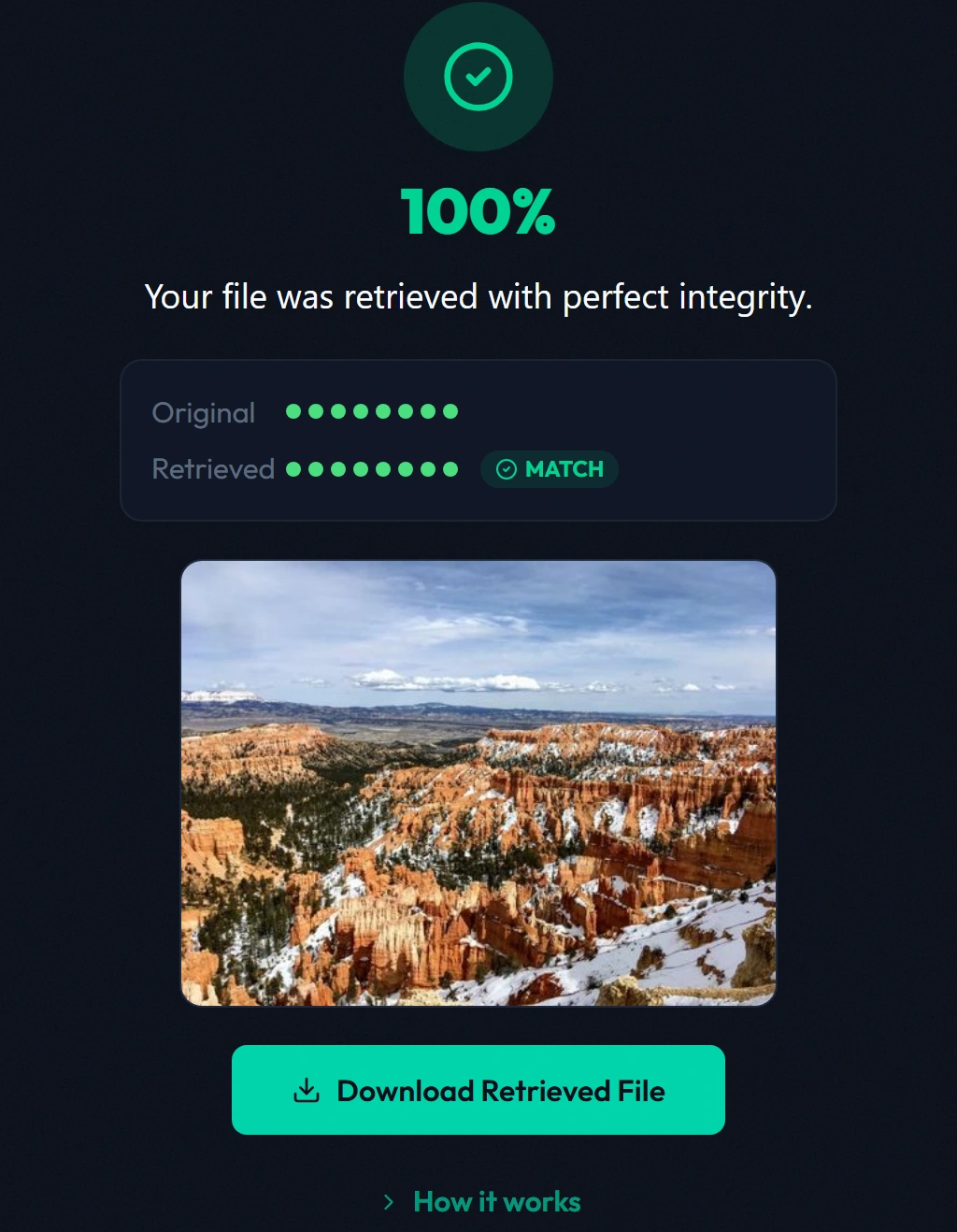
I anchored the default walkthrough around a recognizable landscape photograph so viewers could immediately see at the end that their exact image came back intact, with expandable panels exposing the underlying order and catalog records whenever someone wanted more technical depth.
 Enlarge imageEnlarge: Bryce Canyon photograph uploaded to the demonstration.
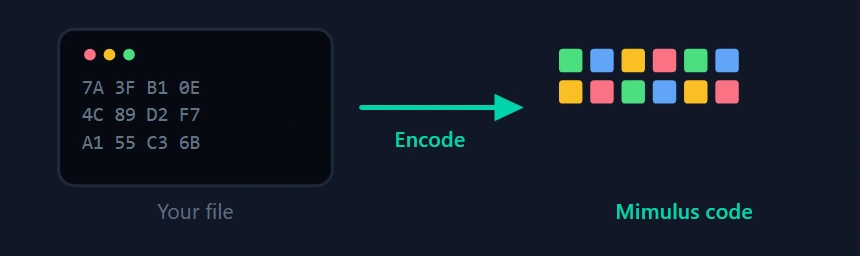 Enlarge imageEnlarge: The demonstration’s animation shows a file being translated into colored code values.
Supplier and catalog record details
Supplier and receiving records
Simulated receiving and quality-control views show how returned DNA from a synthesis partner would be verified and logged before allocation to a storage card.
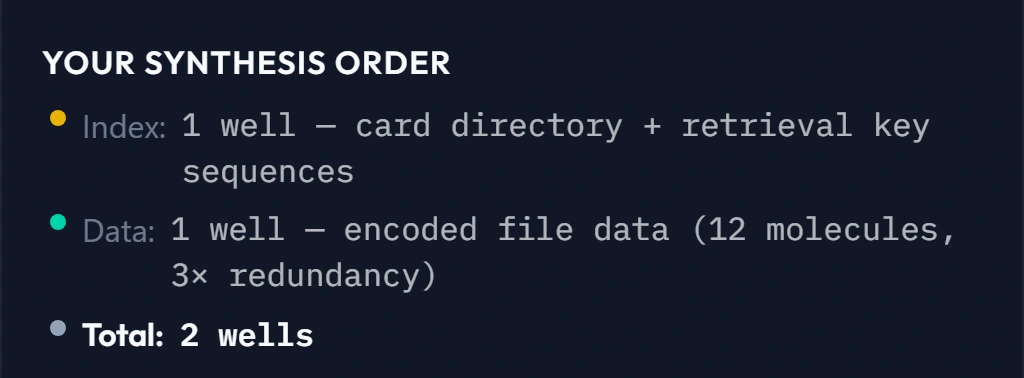
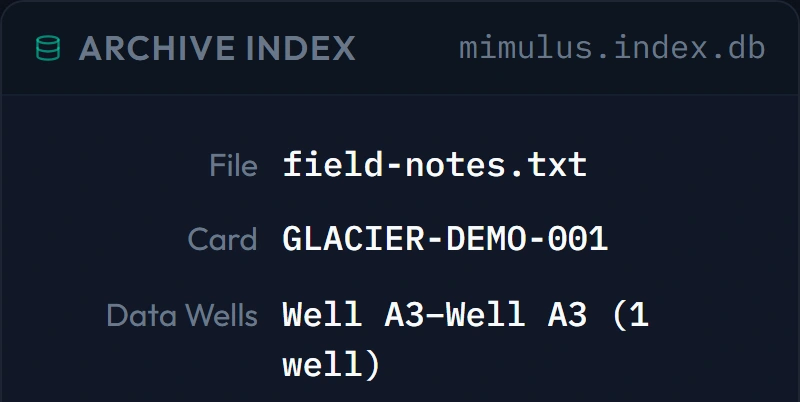
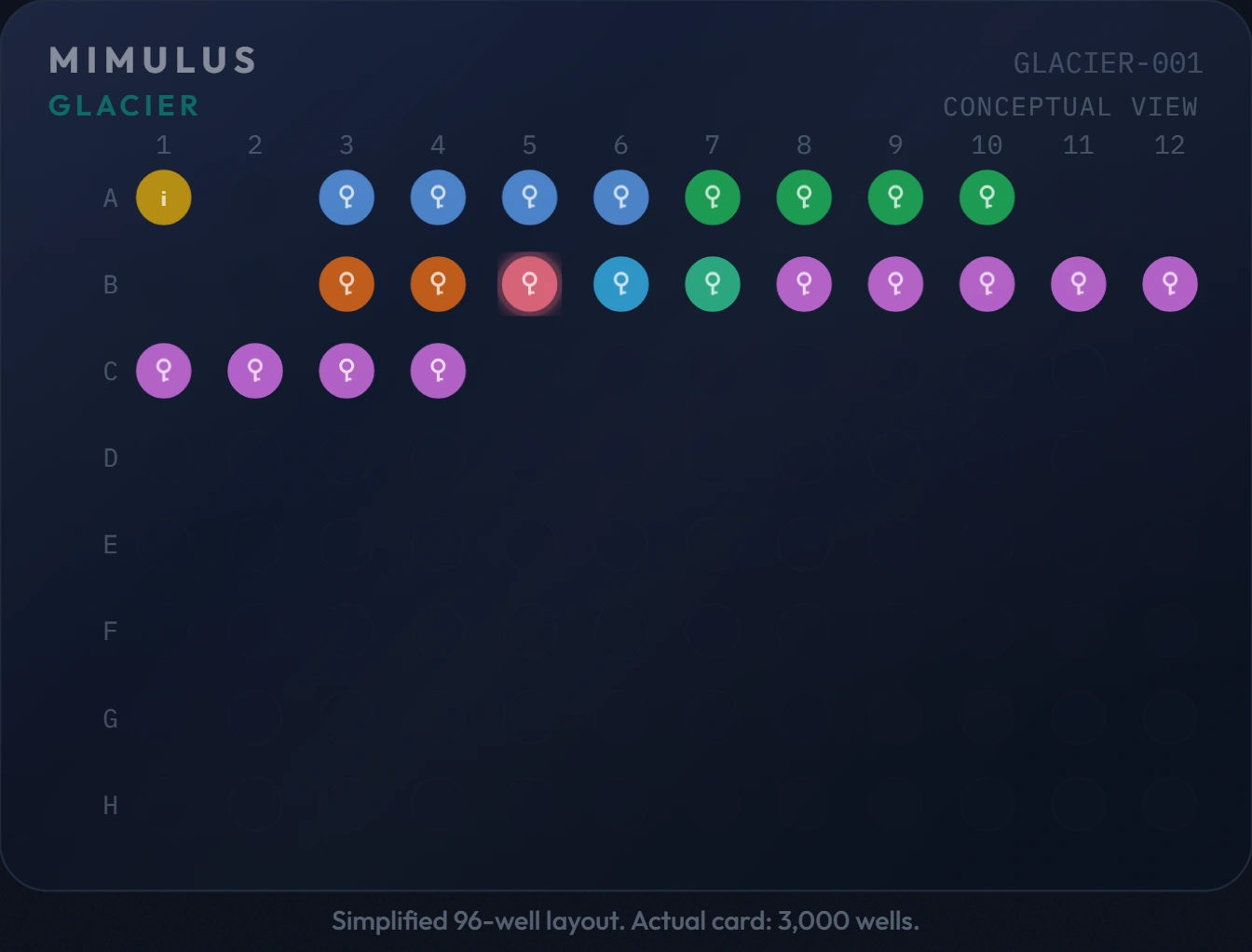
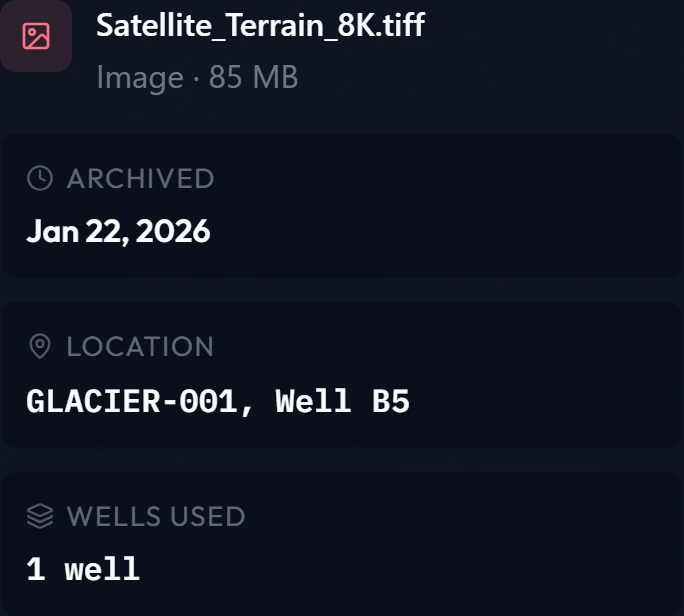
In the expanded text-file example below, the simulated synthesis order pairs directly with its catalog index entry—preserving the exact link between a customer’s filename and its assigned card and well.
Finding a file in the archive
Inside the archive view, the catalog links each file and its digital fingerprint to a specific storage card and well; clicking a file in the card explorer highlights where it sits physically and opens its storage record.
Testing early builds by hand exposed places where different screens disagreed on how many wells a test file occupied and reused the same colors for card zones and individual files. I directed a single shared source of truth for well assignments and separate color systems for card zones versus customer files so every view traced cleanly from encoding to recovery. Building the interactive card view also exposed why pre-loading retrieval keys into fixed wells wouldn’t scale to selecting one specific file—leading us to store key sequences as information in the catalog index so they could be made on demand.
The card layout and archive entries shown are simulated examples, and linking a file to a well does not mean a single small file fills the entire well.

Recovering and checking the result
During encoding, the browser engine generates three copies of every short DNA strand so it can compare copies on recovery and vote out damage. On retrieval, the software reconstructs the file bit for bit from those sequences, verifies that the recovered SHA-256 fingerprint matches the original upload, and lets the visitor download the restored photograph.
Encoding, majority-vote reconstruction, and fingerprint verification run as real software in the browser; synthesizing, storing, and sequencing physical DNA remain simulated steps.
Choosing how much detail to show
Early walkthroughs revealed opposite reactions: the app felt too dense for non-technical viewers, yet wasn’t detailed enough for me to stress-test our own system logic. I introduced three selectable audience tiers—for investors, enterprise IT leaders, and technical researchers—paired with expandable detail on every step and manual pacing so a CIO or researcher could explore at their own speed instead of sitting through an auto-playing slideshow.
Even the deepest tier had to stay honest about what was still conceptual. When an AI-generated draft populated the technical-researcher view with invented materials, dimensions, and timings nobody had measured, I stripped them out and refocused that tier on the real engineering problems and design tradeoffs at each station.
Alongside the demonstration, the archive cost tool tackled the commercial question—telling an interactive visual story about decades of hardware refreshes and migrations for executives rather than presenting a dry analyst spreadsheet.
To house both live tools and explain where the service fit, I rebuilt the company website from scratch in Next.js and ran it over five months—working with scientific and commercial colleagues on content, adding full-funnel analytics and PIN-gated views, and standardizing capacity and durability claims across every page as our strategy evolved.
Making review part of development
I broke the build into checked phases with automated browser tests and verified every flow myself—including testing on my iPhone, which caught clipped layouts and tables and drove a sitewide mobile pass.
Because translating feedback from recorded video calls into UI fixes was slow, I also built a Figma-style pin-drop review layer directly into our staging apps so colleagues could click any element on screen to leave a numbered comment. When an animated visual overhaul went too far and obscured the teaching diagrams, I reverted the build in git, kept the comment layer, and rebuilt the overview screens around simplified versions of the technical visuals—preserving the clarity that even helped us catch a drifted redundancy figure across our written diligence documents before a VC meeting.
Experience used here
Product design · Technical communication · Interaction design · Website development · AI-assisted development · Digital encoding and recovery